How Much Phone Monitoring Is Too Much: Age-by-Age Guide for Parents (2026)

Why Phone Monitoring Gets Harder as Kids Get Older
You handed your 10-year-old their first phone with every parental control locked down tight. Fast forward five years, and that same kid is demanding privacy, calling you “controlling,” and threatening to move in with their friend’s “cool parents” who don’t monitor anything.
This article contains affiliate links. PacketMoat may earn a commission at no extra cost to you when you purchase through these links. This helps support our cybersecurity research and content creation.
Here’s the truth: the monitoring approach that works for a 4th grader will destroy your relationship with a high schooler. But backing off completely leaves teenagers vulnerable to predators, cyberbullying, and content they’re not ready to process. The question isn’t whether to monitor—it’s how much is appropriate at each stage.
This guide breaks down monitoring by age group, with specific tools and approaches that match developmental stages. We’ll cover what to lock down, what to discuss, and when to step back—all while keeping your kid safe and your relationship intact.
The Trust Equation: Monitoring vs. Privacy by Age
Before we dive into specific age ranges, understand this framework: monitoring should decrease as trust and maturity increase. But trust isn’t automatic—it’s earned through demonstrated responsibility.
Think of phone privileges like driving. You don’t hand a 16-year-old the keys and say “good luck.” You start with supervised practice, then short solo trips, then gradually expand freedom as they prove they can handle it. Phone monitoring works the same way.
The goal is to raise a young adult who makes good decisions when you’re NOT watching—not to create a surveillance state that crumbles the day they leave for college.
Ages 8-10: Full Monitoring with Training Wheels
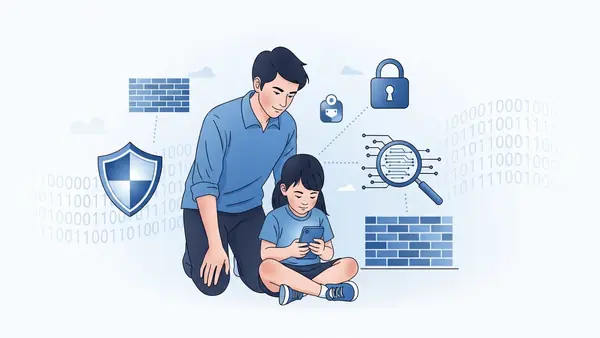
At this age, your child’s phone is a privilege you’re extending early—probably because they need it for after-school pickups or staying in touch during custody arrangements. They have zero expectation of privacy, and they shouldn’t.
What to monitor: Everything. Every text, every app download, every website visit, every photo. Use full monitoring software that logs all activity and alerts you to concerning content in real-time.
Recommended approach: Bark or Qustodio with aggressive filtering. Set these up to block app downloads entirely, restrict browsing to a whitelist of approved sites, and disable social media completely. Your 9-year-old doesn’t need Instagram.
Bark Premium Parental Control gives you real-time alerts when your child encounters concerning content across 30+ platforms. At this age, set alerts for everything—you want to know when they’re searching terms they shouldn’t be.
The conversation to have: “This phone is mine. I’m letting you use it. I can see everything you do on it, and that’s how it works until you’re older. If you want privacy, write in a journal.”
Be matter-of-fact, not apologetic. Kids this age accept boundaries when they’re clearly stated.
Common Mistakes Parents Make (Ages 8-10)
- Giving the phone without setting it up first: Install monitoring software BEFORE handing over the device. Trying to add it later feels like a punishment.
- Assuming school-issued devices are monitored: Your kid’s school Chromebook might have content filters, but it won’t alert YOU to concerning searches. Add your own monitoring if the school allows it.
- Not explaining why you’re monitoring: “Because I said so” breeds resentment. Frame it as protection: “There are adults online who pretend to be kids. I need to make sure you’re safe.”
Ages 11-13: Monitored Access with Expanding Boundaries

Middle school is when kids start pushing back on monitoring. They see their friends with unrestricted phones and feel “babied” by your controls. This is also when online risks escalate—cyberbullying peaks in 7th grade, and predators target this age group heavily.
What to monitor: All messaging apps, social media (if you allow it), browsing history, and app downloads. But start having conversations about WHY certain content is blocked instead of just blocking it silently.
Recommended approach: Transition from full lockdown to monitored freedom. Use software that alerts you to concerning content but doesn’t block everything automatically. Review reports weekly with your child present.
Qustodio Premium Family Kit offers a good middle ground—it monitors without being overly restrictive. Set it to alert (not block) for borderline content, then discuss why that content is concerning.
The conversation to have: “You’re getting older, so I’m giving you more freedom. But I’m still checking your phone regularly. If I see something concerning, we’ll talk about it. If you show me you can make good choices, you’ll get more privacy.”
This age is about teaching judgment, not just enforcing rules.
What About Social Media?
Most platforms require users to be 13+, but plenty of 11- and 12-year-olds are on them anyway. If you allow social media at this age (and many security professionals recommend waiting), here’s the minimum monitoring setup:
- You follow/friend your child on every platform
- Monitoring software alerts you to direct messages from unknown accounts
- Privacy settings are locked to “friends only” (no public posts)
- You review friend/follower lists monthly and ask “who is this person?”
According to the National Center for Missing & Exploited Children, online predators most commonly make contact through direct messages on gaming platforms and social media. If your 12-year-old is getting DMs from someone claiming to be a 13-year-old from another state, that’s a red flag worth investigating.
Ages 14-16: Spot-Checking with Earned Privacy

High school is where the monitoring vs. privacy battle gets real. Your teenager has a legitimate need for some privacy—they’re developing their identity, having conversations with friends they don’t want you reading, and frankly, they’re old enough to have some boundaries.
But they’re also old enough to make catastrophically bad decisions. Sexting, meeting strangers from the internet, experimenting with substances—these risks peak in the 15-16 age range.
What to monitor: Shift from constant surveillance to spot-checking. You should still have the ABILITY to see everything, but you’re not reviewing every text unless there’s a reason.
Recommended approach: Use monitoring software that flags concerning behavior (mentions of self-harm, drug use, meeting strangers) but doesn’t alert you to normal teenage drama. Conduct random phone checks weekly—but tell your teen this is the policy upfront.
mSpy Premium Phone Monitoring offers keyword alerts that flag genuinely concerning content without overwhelming you with notifications about normal teenage conversations. Set alerts for terms related to self-harm, drug use, and meeting strangers.
The conversation to have: “I’m not reading every text anymore. But I reserve the right to spot-check your phone, and if the monitoring software alerts me to something dangerous, we’re going to talk about it. Show me you can handle this responsibility, and you’ll get more privacy.”
The VPN Problem
Your tech-savvy 15-year-old will discover VPNs, which can bypass content filters and hide browsing activity. Here’s how to handle it:
- Block VPN app downloads through your monitoring software
- If you find a VPN installed, don’t freak out—ask why they installed it (they might have legitimate privacy concerns)
- Explain that hiding their activity makes you trust them LESS, which means MORE monitoring, not less
Some teenagers install VPNs because they’re genuinely concerned about privacy (good instinct!) or because school Wi-Fi blocks everything (understandable frustration). Others install them to hide concerning behavior. The conversation matters more than the software.
Ages 17-18: Preparing for Launch
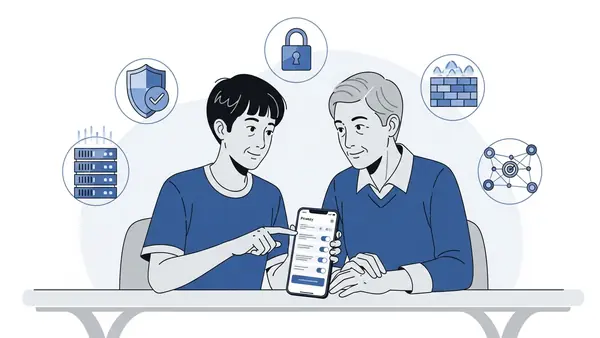
Your 17-year-old is months away from legal adulthood. They might be living in a college dorm next year where you have zero ability to monitor their devices. This is your last chance to teach good judgment before they’re on their own.
What to monitor: Minimal active monitoring, but you still have the right to spot-check if you’re paying for the phone. Focus on teaching them to monitor themselves—how to recognize phishing, how to set privacy settings, how to block creeps.
Recommended approach: Transition from monitoring software to honest conversations. If your 17-year-old has demonstrated good judgment for the past year, consider removing monitoring software entirely and relying on trust.
If they HAVEN’T demonstrated good judgment, keep monitoring in place but be transparent about it: “You’re almost an adult, but you’re still making concerning choices. When you show me a pattern of better decisions, we’ll revisit this.”
The conversation to have: “In six months, I won’t be able to monitor your phone anymore. Let’s make sure you know how to protect yourself. Show me your privacy settings. Walk me through how you’d handle it if someone you met online wanted to meet in person.”
Treat this year as driver’s ed for digital life. You’re still in the passenger seat, but they’re doing most of the driving.
Teaching Self-Monitoring Skills
Before your teenager leaves for college, make sure they can:
- Recognize phishing texts and emails (send them test phishing messages and see if they catch them)
- Set privacy settings on social media without your help
- Block and report creepy accounts
- Use a password manager (Best Password Managers for Remote Teams (2026 Review) has family-friendly options)
- Enable two-factor authentication on important accounts (SMS vs MFA: Why I Stopped Using Text Messages for 2FA in (2026) explains why SMS codes aren’t enough)
These are life skills they’ll need when you’re not watching.
Special Circumstances: When to Monitor More
These age guidelines assume a neurotypical child with no major behavioral concerns. Adjust based on your specific situation:
If your child has been victimized online before: Increase monitoring one age bracket (treat your 14-year-old like a 12-year-old until they rebuild trust).
If your child has ADHD or impulse control issues: Extend full monitoring longer. Executive function develops later in these kids—they need more guardrails.
If your child has been caught lying about online activity: Reset to full monitoring regardless of age, with a clear path to earn privacy back: “You lied about who you were messaging. I’m treating you like a 12-year-old until you show me a month of honest behavior.”
If your child shows signs of depression or self-harm: Increase monitoring, but also get them professional help. Monitoring software can alert you to concerning searches, but it’s not a substitute for therapy.
What to Do When You Find Something Concerning
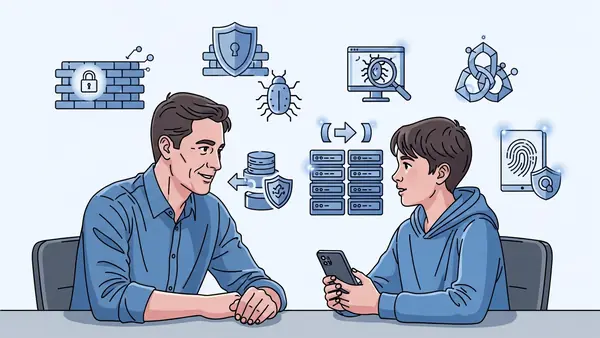
Your monitoring software just alerted you that your 13-year-old searched “how to meet someone from the internet” or your 15-year-old is messaging someone who’s asking for photos. Now what?
Don’t panic-react: Screaming “WHO IS THIS PERSON” and smashing the phone will ensure your child never tells you anything again. Take a breath.
Investigate first: Is this a one-time search or a pattern? Is the concerning message from a school friend being dumb or an adult grooming them? Context matters.
Have a calm conversation: “I saw you searched [concerning term]. I’m not mad, but I’m worried. Can you tell me what’s going on?” Give them a chance to explain before you assume the worst.
Explain the real danger: Teenagers think they’re invincible. Explain that adults who target kids online are skilled manipulators. Show them real cases (age-appropriate ones) where kids thought they were talking to another teenager and weren’t.
Adjust monitoring accordingly: If this was a one-time lapse in judgment, keep monitoring at the current level. If it’s a pattern, increase monitoring and reduce privileges until they earn trust back.
When to involve authorities: If an adult is soliciting explicit photos from your child, save the evidence and report it to the National Center for Missing & Exploited Children (CyberTipline.org) and your local police. Don’t confront the predator yourself.
The Monitoring Tools Comparison
Here’s how the major parental control platforms stack up for different age groups:
Bark (Best for ages 8-16): Bark Premium Parental Control
Monitors 30+ platforms including text, email, and social media. Uses AI to flag concerning content instead of sending you every message. Great for middle ground monitoring—you’re alerted to problems but not reading every text.
Strengths: Best-in-class alerts for self-harm, cyberbullying, and predator grooming language. Monitors Snapchat, TikTok, and other platforms kids actually use.
Downsides: Doesn’t offer location tracking or screen time limits (you’ll need a second app for that). Can’t monitor encrypted apps like Signal.
Best for: Parents who want to know about serious problems without micromanaging every conversation.
Qustodio (Best for ages 8-14): Qustodio Premium Family Kit
Comprehensive monitoring with screen time limits, app blocking, and web filtering. More hands-on than Bark—you see detailed activity reports and can block specific apps or websites.
Strengths: Great for younger kids who need strict boundaries. Excellent screen time management. Works on computers, tablets, and phones.
Downsides: Teenagers will feel micromanaged. Doesn’t monitor social media DMs as effectively as Bark. Kids can sometimes bypass it with VPNs.
Best for: Parents who want detailed control over what their younger child can access.
mSpy (Best for ages 14-18 with concerning behavior): mSpy Premium Phone Monitoring
Full monitoring including texts, calls, GPS location, and social media. This is the “I need to know everything” option for parents dealing with a teenager who’s proven they can’t be trusted with privacy yet.
Strengths: Monitors everything, including deleted messages. GPS tracking shows where your teen actually is. Keyword alerts flag concerning content.
Downsides: Invasive enough that it will damage your relationship if used on a kid who hasn’t violated trust. Expensive. Requires physical access to the phone to install.
Best for: Parents dealing with a teenager who’s been caught lying, sneaking out, or communicating with dangerous people.
Important note about monitoring software: Installing monitoring software on your child’s phone is legal if you own the phone and they’re a minor. Installing it on your spouse’s phone without their knowledge is illegal in most states. These tools are for protecting children, not surveilling partners.
The Family Tech Contract
Regardless of what monitoring software you use, put your family’s phone rules in writing. Here’s a template:
Our Family Phone Agreement:
- This phone belongs to [parent names]. You’re allowed to use it as long as you follow these rules.
- I will check your phone [daily/weekly/randomly]. You’ll get more privacy as you get older and show good judgment.
- If monitoring software alerts me to something dangerous, we’ll discuss it. If you’re honest about what happened, consequences will be lighter than if you lie.
- You will not delete messages, use secret apps, or try to bypass monitoring software. Doing so = phone taken away.
- If someone online makes you uncomfortable, you’ll tell me immediately. You won’t get in trouble for reporting creepy people.
- Phones stay out of bedrooms overnight starting at [time].
- If you violate these rules, here’s what happens: [specific consequences].
- We’ll revisit these rules every [6 months/year] as you get older.
Have your child sign it (physically or digitally). Refer back to it when conflicts arise.
Final Recommendations by Age and Situation
Ages 8-10, first phone: Qustodio with strict filtering. Your goal is to create a safe sandbox where they can learn phone basics without encountering anything inappropriate. Check the activity log weekly with them present so they understand what you’re seeing.
Ages 11-13, middle school: Bark for monitoring with Qustodio for screen time limits (yes, you can use both). Bark catches the concerning content; Qustodio enforces bedtime and homework rules. Have weekly “phone check-ins” where you review the week’s alerts together.
Ages 14-16, earned some trust: Bark only, with random spot-checks. If they’ve demonstrated good judgment, you don’t need detailed activity logs anymore—just alerts when something genuinely concerning happens. Respect their privacy on normal teenage conversations.
Ages 14-16, violated trust: mSpy with full monitoring until they earn privacy back. Be clear about what they need to do to get privacy restored: “After three months of no concerning alerts and honest behavior, we’ll switch to less invasive monitoring.”
Ages 17-18, preparing for college: Minimal monitoring or none, depending on their track record. Focus on teaching self-protection skills. If you’re still monitoring at this age, have a clear plan for when you’ll stop (graduation? 18th birthday? first semester of college?).
The Trust Conversation You Need to Have
Here’s what most parenting articles won’t tell you: your teenager is going to find ways around your monitoring if they’re determined enough. They’ll use a friend’s phone, create secret accounts, or figure out the VPN trick.
The goal isn’t to create an unbreakable surveillance system. The goal is to make them WANT to follow the rules because they understand why the rules exist and because they don’t want to lose your trust.
So have this conversation, adjusted for your kid’s age:
“I’m monitoring your phone because I love you and because there are real dangers online. I’ve seen cases where kids thought they were talking to another teenager and ended up meeting a 40-year-old predator. I’ve seen kids get blackmailed because they sent one photo they shouldn’t have. I’m not trying to control you—I’m trying to keep you safe until you’re old enough to protect yourself.”
“As you get older and show me you can make good choices, you’ll get more privacy. If you violate my trust, you’ll get less. That’s how trust works in the real world too.”
“If something happens online that scares you or makes you uncomfortable, tell me immediately. You won’t get in trouble for reporting creepy people—even if you were somewhere online you weren’t supposed to be. Your safety matters more than punishing you for breaking a rule.”
Then actually follow through. If they report a creepy DM and you freak out and take away their phone, they’ll never tell you anything again.
Common Mistakes to Avoid
- Installing monitoring software secretly: Your kid will find out (they always do), and discovering they’re being monitored without their knowledge destroys trust. Be upfront about what you’re monitoring and why.
- Using the same monitoring level from ages 10-18: What’s appropriate for a 5th grader is suffocating for a high school senior. Adjust as they mature.
- Reading every text and commenting on normal teenage drama: “I saw Madison was mean to you at lunch” makes your kid feel like they have zero privacy. Monitor for safety, not social gossip.
- Threatening to take the phone away for minor violations: If every small rule break results in phone confiscation, your kid will just get better at hiding things. Save serious consequences for serious violations.
- Not teaching them WHY certain content is dangerous: “Because I said so” doesn’t prepare them for the day you’re not monitoring anymore. Explain the actual risks.
- Comparing your monitoring approach to other parents: “But Jake’s mom doesn’t check his phone!” is irrelevant. You’re not raising Jake.
When to Get Professional Help
Monitoring software can alert you to problems, but it can’t solve them. Seek professional help if your monitoring reveals:
- Repeated searches about self-harm or suicide
- Evidence of an eating disorder (pro-ana content, calorie tracking obsession)
- Communication with adults who are clearly grooming them
- Involvement in illegal activity (drug dealing, sharing explicit content of minors)
- Severe cyberbullying (either as victim or perpetrator)
A therapist who specializes in adolescents can help address the underlying issues that monitoring software can only detect.
Your monitoring approach will evolve as your child grows. The 10-year-old who needs every app locked down will eventually become the 18-year-old heading to college with a phone you can’t monitor. Your job is to gradually transfer responsibility from your monitoring software to their own judgment—teaching them to make good choices when you’re NOT watching.
Start strict, loosen gradually, and always prioritize keeping communication open over maintaining perfect surveillance. The goal is to raise a young adult who knows how to protect themselves online, not a teenager who’s just really good at hiding things from you.