Snapchat: What Parents Don’t See and How to Fix That (2026 Guide)
Why Snapchat is Different (And Why That Matters)
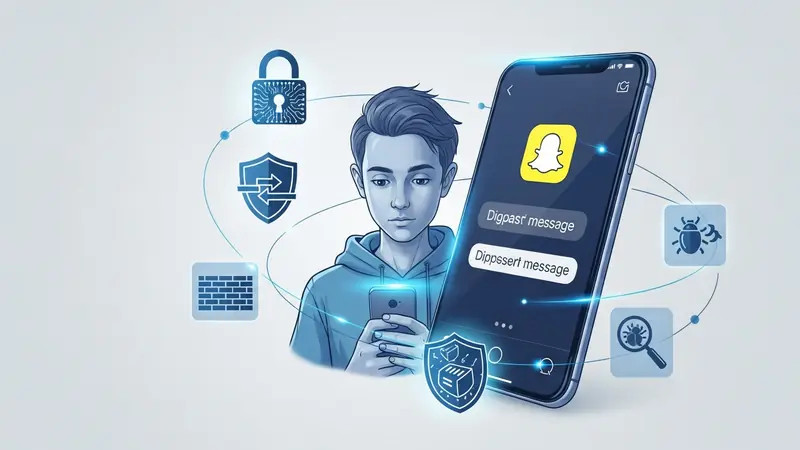
Your teenager’s Snapchat looks empty when you check it. No message history. No posts that last more than 24 hours. Clean profile. You hand the phone back thinking everything’s fine.
Here’s what you didn’t see: the 200 messages that disappeared after being read. The group chat with strangers. The location sharing that broadcasts your home address to their entire friend list. Snapchat’s design makes everything vanish—which is exactly why kids love it and parents struggle with it.
This isn’t about not trusting your kid. It’s about understanding that Snapchat’s core feature—disappearing content—creates blind spots that predators and bullies exploit. According to the National Center for Missing & Exploited Children, Snapchat consistently ranks in the top three platforms where online predators make initial contact with minors.
What You Can’t See Without Help
Snapchat’s default privacy settings work against parents. Here’s what disappears before you ever see it:
- Direct messages (Snaps): Gone after the recipient views them, or after 24 hours if unopened
- Chat messages: Deleted after both people leave the conversation (unless saved manually)
- Stories: Disappear after 24 hours
- Snap Map location: Shows real-time location to friends (or everyone, depending on settings)
- Who they’re talking to: No message history means no record of conversations
- Inappropriate content: Photos, videos, and messages vanish, leaving no evidence
The “My Eyes Only” feature adds another layer. It’s a password-protected folder inside Snapchat where kids hide photos and videos. You won’t find it by casually scrolling through their phone.
The Snapchat Features That Create Risk

Snap Map Broadcasts Your Home Address
Snap Map shows your teenager’s location in real-time to everyone they’ve added as a friend. Most kids don’t realize that “friend” on Snapchat often means “person I met once at a party.” When your kid opens Snapchat at home every morning, they’re broadcasting your address to potentially hundreds of people.
The “Ghost Mode” setting turns this off, but it’s not enabled by default. Most teenagers don’t even know it exists.
Quick Add Suggests Strangers
Snapchat’s “Quick Add” feature suggests new friends based on mutual connections and phone contacts. Your teenager sees a suggested friend—maybe a friend of a friend—and adds them without thinking. That person now sees their Stories, location, and can message them directly.
This is how predators build networks. They befriend one teenager, then use that connection to get suggested to that teen’s friends.
Disappearing Messages Hide Grooming
Online predators use Snapchat specifically because messages disappear. They start with innocent conversation, slowly escalate to inappropriate requests, and the evidence vanishes. By the time parents discover something’s wrong, there’s no message history to report to law enforcement.
What to Look for in Snapchat Monitoring Tools
Not all parental control software handles Snapchat the same way. Some can’t see it at all. Others require jailbreaking (iOS) or rooting (Android), which creates security risks. Here’s what actually matters:
Message Capture Before Deletion
The tool needs to capture Snapchat messages before they disappear. This means running in the background and logging content as it arrives—not trying to read message history (which doesn’t exist).
Screenshot and Video Logging
Your teenager can save Snaps by screenshotting them. The monitoring tool should log when screenshots happen and, ideally, capture what was screenshotted. Same for videos—if your kid records a Snap, you should know about it.
Friend List Monitoring
You need visibility into who your teenager is adding as friends. Red flags include: accounts with no profile picture, accounts with sexually suggestive usernames, accounts that were just created, and adults (check the age in their profile if visible).
Location Tracking (Separate from Snap Map)
Even if your kid enables Ghost Mode in Snapchat, you want independent location tracking through the monitoring app. This confirms they’re actually at school, their friend’s house, or wherever they said they’d be.
Keyword Alerts
The tool should flag concerning keywords: requests for photos, mentions of meeting in person, discussion of keeping secrets from parents, references to drugs or alcohol, and self-harm language. You don’t need to read every message—you need to know when something dangerous appears.
Top Monitoring Solutions for Snapchat
Bark: Best for Hands-Off Monitoring
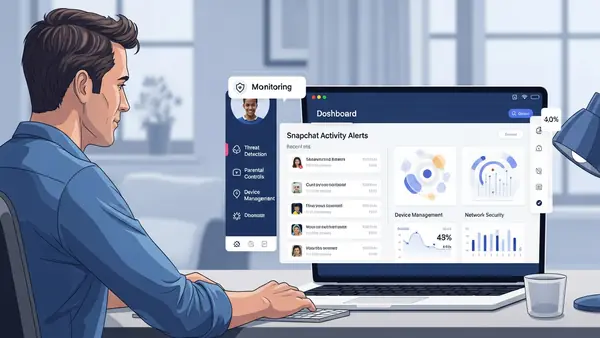
Bark is built around AI‑driven alerts. Instead of showing you every single message, it scans supported apps (including Snapchat) for signs of serious risk — self‑harm, predatory language, explicit sexual content, severe bullying, and more — and then sends you an alert with context.
On Android and Bark Phone, Bark can monitor a significant amount of Snapchat activity. On iOS, coverage is more limited and depends on Apple’s restrictions, backups, and specific app integrations. Bark is upfront that it does not show you every snap or message; it shows you alerts when its AI believes there is something you should see.
My real‑world test on Android
For this guide, I had my own teenage tester run Bark on an Android device and then install Snapchat. Bark correctly showed Snapchat as a monitored app in the parent dashboard, but I did not receive any alert that Snapchat itself had been installed. With regular use, there was no push notification that “Snapchat just appeared on your kid’s phone.”
Next, I asked my tester to upload two images from the comic Kick‑Ass 2 that clearly show guns and violence and post them to a public Story. Bark did not generate any alerts for the word “ass” in the title or for the violent imagery in those Story posts. That behavior is consistent with how Bark describes its own system: it prioritizes clear, text‑based risk patterns in messages and searches, not every swear word or every fictional gun in an image.
Translation: Bark is strong at catching serious text‑based risk patterns on supported devices, but it will not behave like a human moderator scanning every meme, snap, or Story panel your teen posts. If you expect “every image, every time,” you will be disappointed.
What Bark does well for Snapchat
-
Monitors a slice of Snapchat activity on supported devices, especially text in chats and searches.
-
Uses AI to detect self‑harm language, explicit solicitations, severe bullying, and similar high‑risk patterns across multiple apps.
-
Sends you alerts with context instead of a firehose of every message your teen sends.
Where Bark falls short
-
Does not give you a full log of every snap, chat, and Story.
-
On iOS, coverage is narrower than on Android, and it cannot see everything happening inside Snapchat.
-
Does not deeply analyze every image a teen posts to a Story; image‑only content can slip through without an alert.
Best for: parents who generally trust their teen but worry about outside threats — predators, serious bullying, or self‑harm — and want an automated early‑warning system rather than a full surveillance feed.
Setup notes:
On Android, you install Bark directly on your child’s phone and grant the requested permissions. On iOS, Bark relies more on backups and account connections, which means you get fewer real‑time snapshots and more periodic scans. In both cases, you should plan a sit‑down with your teen to explain what Bark monitors and why, rather than trying to hide it.
mSpy: Best for Complete Visibility
mSpy takes the opposite approach. Instead of only alerting you to risky patterns, it aims to log almost everything: messages, screenshots, photos, videos, timestamps, and more, depending on the device and configuration. For Snapchat in particular, mSpy uses a combination of notification capture and screen‑based logging to preserve snaps and chats before Snapchat deletes them.
In practice, that means:
-
You can see Snapchat messages captured as they are read.
-
You can review photos and videos that were sent or received, even after they disappear from the app.
-
You can see when new friends are added, when Stories are posted, and when the app is being used heavily.
On Android, mSpy tends to have deeper visibility because it can run closer to the system and take stealth screenshots as content appears. On iOS, what mSpy can see depends heavily on Apple’s current restrictions, whether you use an iCloud‑based setup or a direct installation, and how often backups run. It is powerful, but not magic: some Snapchat data on iOS may still be out of reach.
mSpy still cannot see inside “My Eyes Only” because Snapchat encrypts that vault separately. And if your teen uses a VPN, turns off certain permissions, or aggressively updates their OS without re‑configuring mSpy, some features may break until you fix them.
Best for: parents dealing with an active, serious concern — prior contact from a predator, evidence of risky behavior, involvement in dangerous online communities, or ongoing self‑harm threats — where having a full record of Snapchat activity is critical. mSpy’s logging is also more useful if you need documentation for school administrators or law enforcement.
Setup notes:
On Android, you install mSpy directly on the device and walk through a fairly detailed setup that takes about 10–15 minutes. On iOS, you will typically need your child’s Apple ID and access to two‑factor authentication, or a more advanced install guided by mSpy support. Either way, plan to tell your teen what you are doing and why. With something this comprehensive, “covert” is both fragile and usually damaging to trust once they find it.
Qustodio: Best for Multi-Platform Families
Qustodio is less about deep Snapchat forensics and more about broad visibility across all the major places your kids spend time: Snapchat, Instagram, TikTok, YouTube, web browsing, and games.
For Snapchat, Qustodio typically provides:
-
Visibility into Snapchat usage (how much time your teen spends in the app).
-
Basic insight into messaging activity and contact patterns, depending on platform.
-
Cross‑app context — for example, seeing Snapchat usage spike at the same time as risky web searches or late‑night YouTube sessions.
Compared to Bark and mSpy, Qustodio’s Snapchat content capture is shallower. You may see that messages were sent and when, but not always the full content of every snap or chat. Where Qustodio shines is giving you one dashboard for all devices and apps in the family.
Best for: parents with more than one child, kids on multiple platforms, or families where the biggest concern is overall screen time and patterns, not Snapchat alone.
Setup notes:
You install Qustodio on each child’s device and configure profiles. On iOS, it works closely with Apple’s Screen Time system, which makes setup easier but limits how much raw content it can see. On Android, it can usually see more, including app usage and web activity, without needing anything as invasive as rooting.
Net Nanny: Best for Younger Teens (12-14)
Net Nanny focuses on content filtering and app blocking rather than message logging. It’s designed for parents who want to prevent access to risky apps and websites, not necessarily monitor every message.
What it catches: App usage time, blocked content attempts, web filtering violations, screen time by app
What it misses: Net Nanny doesn’t log Snapchat message content. It can block the app entirely or limit usage time, but it won’t show you what your kid is saying or who they’re talking to.
Best for: Parents of younger teenagers (12-14) who aren’t ready for Snapchat but are pushing for it. Net Nanny lets you say “yes” with guardrails—limited time per day, blocked during homework hours, shut off at bedtime.
Setup: Install on their device. Net Nanny has robust content filtering that works at the device level, so it can’t be bypassed by switching browsers or using VPNs (unlike DNS-based filters).
Cost consideration: Check current pricing on Net Nanny’s website. They offer a family plan covering multiple devices.
Trust conversation: For younger teens, Net Nanny is less about surveillance and more about training wheels. “You can have Snapchat, but we’re starting with limits. As you show me you can use it safely, we’ll remove the restrictions.”
What About Snapchat’s Built-In Parental Controls?
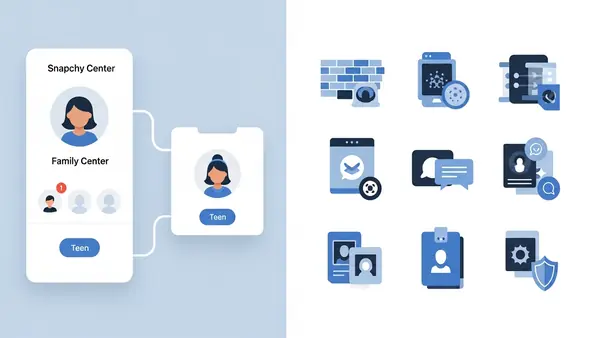
Snapchat launched Family Center in 2022 and has steadily expanded it since then. The early version only showed a basic friend list and who your teen had messaged in the last week. Newer updates, especially by 2024 and into 2026, added more detail without ever showing message content.
As of 2026, Family Center typically allows you to:
-
See your teen’s Snapchat friend list.
-
See new friends added over the last seven days.
-
See who your teen has been communicating with recently (contacts, not message content).
-
See some high‑level insights about app usage and screen time.
-
Adjust certain safety and content preferences, including controls related to the My AI chatbot.
Critically, Family Center still does not show you:
-
The content of messages, snaps, or videos.
-
What was shared in group chats.
-
Stories your teen has posted or viewed.
-
Snap Map location pins or routes.
-
Anything inside “My Eyes Only.”
Snapchat’s design philosophy is explicit: they want parents to see patterns (who, when, how often; some content categories), but not the actual content of private conversations. That can make sense for normal teen friendships and privacy, but it becomes a serious limitation if your teen is already in trouble or being groomed.
Family Center also requires your teen to accept the parent‑child connection. They get a notification when you request it, and they can see that you are linked in Family Center. There is no hidden or “stealth” mode.
When Family Center works well
-
Your teen is generally trustworthy.
-
You want light oversight of their social circle and usage patterns.
-
You are looking for a free starting point before adding paid tools.
When Family Center is not enough
-
You have evidence of risky behavior or contact from adults.
-
You need screenshots and message content for school or law enforcement.
-
You want alerts on specific language or topics, not just “who they talk to.”
Think of Family Center as the minimum you should turn on if your child has Snapchat, not the full solution.
Common Mistakes Parents Make With Snapchat Monitoring
Even with the right tools, it is easy to shoot yourself in the foot. I see the same mistakes over and over again:
-
Installing monitoring software in secret. In many places it is legal to monitor your minor child’s phone without telling them. That does not mean it is effective. When teens discover hidden monitoring (and they usually do — through battery usage, notifications, or app lists), trust collapses. They start using second phones, borrowed devices, or hidden accounts.
-
Checking the dashboard obsessively. Reading every message turns monitoring into surveillance. Your goal is not to catch them saying something embarrassing; it is to catch danger. Set up keyword and risk alerts, and aim to review the dashboard weekly rather than hourly.
-
Not explaining why Snapchat is risky. If all your teen hears is “I’m installing this because I don’t trust you,” they will fight you. Sit with them, show them Snap Map, scroll their friend list together, and explain how disappearing messages help predators more than they help kids.
-
Ignoring the “My Eyes Only” folder. You cannot see inside it, but you can see if it exists. If your teen is using it heavily, that is worth a conversation. Ask what kind of things they are keeping there and why. Do not immediately demand the password; that tends to escalate into a power struggle.
-
Assuming tools never fail. Bark can miss content if backups are misconfigured or permissions change. mSpy can break after OS updates or if a VPN blocks some traffic. Qustodio and Net Nanny can be force‑closed or uninstalled if you are not watching. A silent dashboard can mean “everything is fine,” or it can mean “the app stopped working last week.”
Monitoring is not “set it and forget it.” You need to verify occasionally that alerts are still flowing and that the tool is still running as expected.
The Conversation You Need to Have Before Installing Anything
Monitoring software works best when your teenager knows it’s there. Here’s the framework I recommend (and yes, this comes from personal experience—I have a 14-year-old):
Start with the why: “Snapchat is designed to hide conversations. That’s great for privacy between friends, but it also means predators use it to contact kids. I’m not worried about you—I’m worried about the adults who use this app to find teenagers.”
Show them the evidence: Pull up news articles about Snapchat-related predator cases (NCMEC publishes these regularly). Make it real. “This happened to a kid in [nearby city]. The predator used Snap Map to find out where she lived.”
Explain what you’re installing and why: “I’m installing [Bark/mSpy/Qustodio] on your phone. It monitors Snapchat messages and alerts me if someone sends you something dangerous. I’m not reading your conversations with friends—I’m watching for threats.”
Set boundaries: “I won’t check the dashboard every day. I trust you. But if I get an alert, we’re going to talk about it. And if you try to disable the app or use a workaround, you lose the phone entirely.”
Offer an exit ramp: “If you prove you can use Snapchat safely—no risky behavior, no concerning messages, no hiding things—we’ll revisit this in six months. The goal is to get to a point where you don’t need monitoring.”
This approach frames monitoring as protection, not punishment. It acknowledges their privacy while establishing that safety comes first.
What to Do If You Find Something Concerning
You check the monitoring dashboard and see a message that makes your stomach drop. An adult asking for photos. A conversation about meeting in person. Sexually explicit content. Here’s what to do:
Don’t delete anything: Screenshot the messages immediately (from the monitoring dashboard, not their phone). You need evidence. If this escalates to law enforcement, deleted messages can’t be recovered.
Don’t confront the person messaging your child: Your instinct is to respond and threaten them. Don’t. You’ll tip them off, they’ll delete their account, and law enforcement loses the trail. Let the professionals handle it.
Talk to your teenager first: Before you call the police, talk to your kid. They might be scared, embarrassed, or worried they’re in trouble. Make it clear they’re not being punished: “I saw the messages from [username]. You’re not in trouble. I need to understand what’s happening so I can keep you safe.”
Report to NCMEC: The National Center for Missing & Exploited Children runs the CyberTipline (CyberTipline.org). File a report with screenshots. They forward it to law enforcement and Snapchat’s safety team.
Report to Snapchat: In the app, tap and hold on the user’s name, then Report. Choose “Pretending to be someone else” or “Harassing me or someone I know.” Snapchat’s trust and safety team investigates and usually bans the account within 24-48 hours.
Contact local law enforcement: If the messages involve solicitation, threats, or your teenager has shared personal information (address, school name), file a police report. Bring your screenshots. Some departments have dedicated cybercrimes units; others will forward it to the FBI’s Internet Crime Complaint Center.
Consider therapy: Even if your teenager says they’re fine, online predator contact is traumatic. A therapist who specializes in adolescent trauma can help them process what happened and rebuild their sense of safety online.
Final Recommendation: Which Tool to Choose
If your teenager is trustworthy and you want light oversight: Start with Snapchat’s Family Center. It’s free, non-invasive, and gives you visibility into their friend list without reading their messages. Pair it with a conversation about Snap Map (turn on Ghost Mode together) and safe social media habits.
If you want to catch serious risks without invading privacy: Use Bark. Its AI-powered alerts flag dangerous content without showing you every message. This respects your teenager’s privacy while keeping you informed about genuine threats. Best for families where trust is intact but you’re worried about outside dangers.
If you’re dealing with an active concern: Install mSpy. You need full visibility when your teenager is already in a risky situation—prior contact with a predator, evidence of self-harm, involvement in dangerous online communities. mSpy’s complete logging provides the evidence you need for intervention and, if necessary, law enforcement reports.
If you’re monitoring multiple apps and devices: Choose Qustodio. It covers Snapchat, Instagram, TikTok, YouTube, and web browsing in one dashboard. Best for families with multiple kids or parents who need a broad view of social media activity, not just Snapchat-specific monitoring.
If your teenager is 12-14 and new to social media: Use Net Nanny to set time limits and content filters. You’re not ready for full message monitoring yet—you’re teaching them how to use social media responsibly. Start with restrictions and ease off as they demonstrate safe behavior.
Monitoring your kid’s phone is a personal decision. We recommend having an honest conversation with your child about why these tools are installed. Frame it as protection, not punishment. The goal isn’t to catch them doing something wrong—it’s to keep them safe from threats they might not recognize until it’s too late.